


Easily invite team members, assign roles, and manage user access from your Admin dashboard in just a few clicks. Follow the steps below to create user profiles for each member of your team.
Step-by-Step Instructions for Adding a User
1. Log In to the Admin Dashboard
-
Visit: admin.investorlift.com
-
Enter your credentials to access your account.
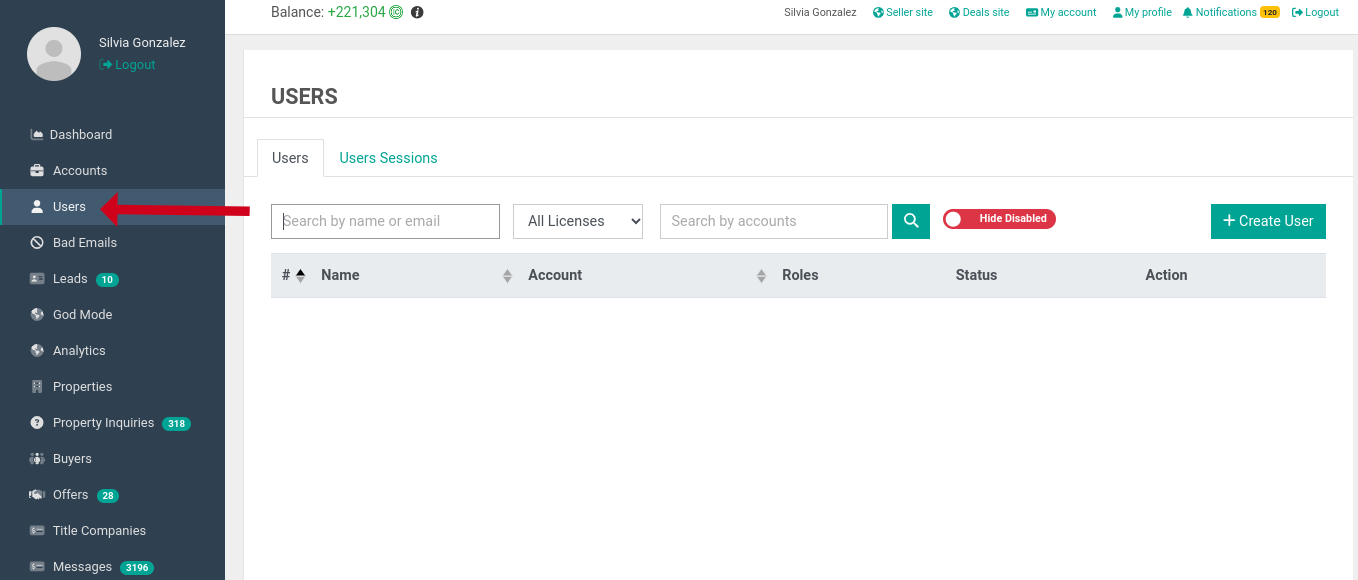
2. Navigate to the Users Section
-
From the left-hand sidebar, click on Users.
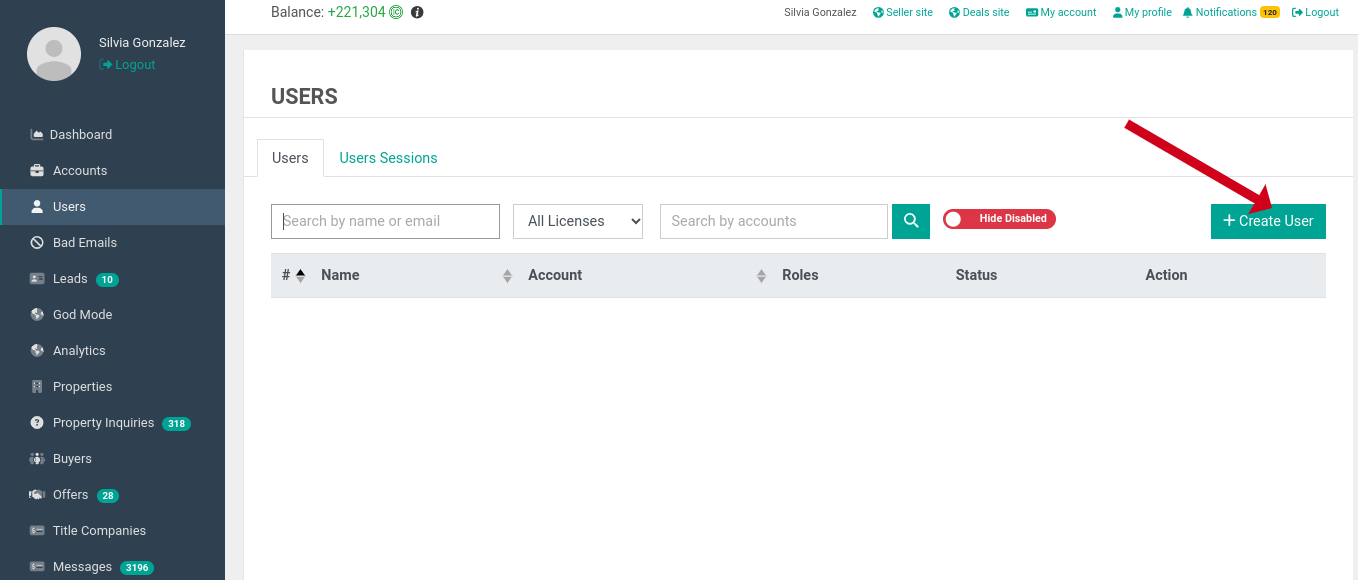
3. Click on Create User
- This will open a form where you can input the new user’s details.
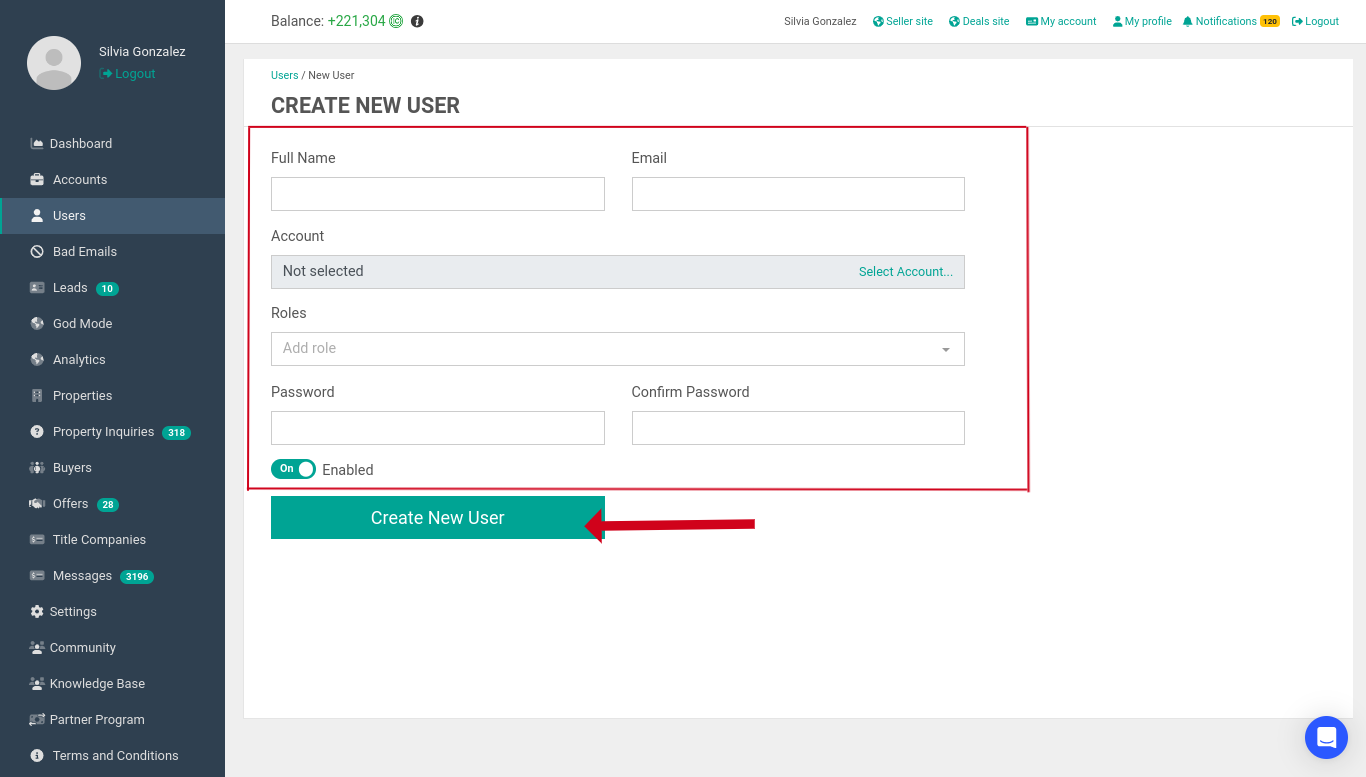
4. Fill Out the New User Information
Ensure all fields are completed accurately:
-
Full Name – Enter the user's first and last name.
-
Email – Provide a valid email address.
-
Role – Select one of the following roles:
-
Administrator
-
Acquisitions
-
Dispositions
-
-
Password – Set an initial password.
💡 Tip: Choose a simple, temporary password. Once the user logs in and sets up their profile, they can reset their password to something secure and memorable.
5. Click Create New User
-
The new teammate will now have access based on the role you assigned.
Contact Support
If you still have questions or encounter issues, we're here to help.
Contact Us:
-
Wholesaler Support (email): support@investorlift.com
-
Live Chat: Available in your bottom-right corner
🗣Your feedback is valuable to us! Scroll down and let us know if this content was helpful to you. Every rating helps us make our Help Center better for you.