


In the world of real estate transactions, flexibility is key. Sometimes, it's necessary to cancel an offer after it has been accepted. In this article, we'll show you how to do it effectively and hassle-free. Discover the simple steps to delete accepted offers and take control of your selling process.
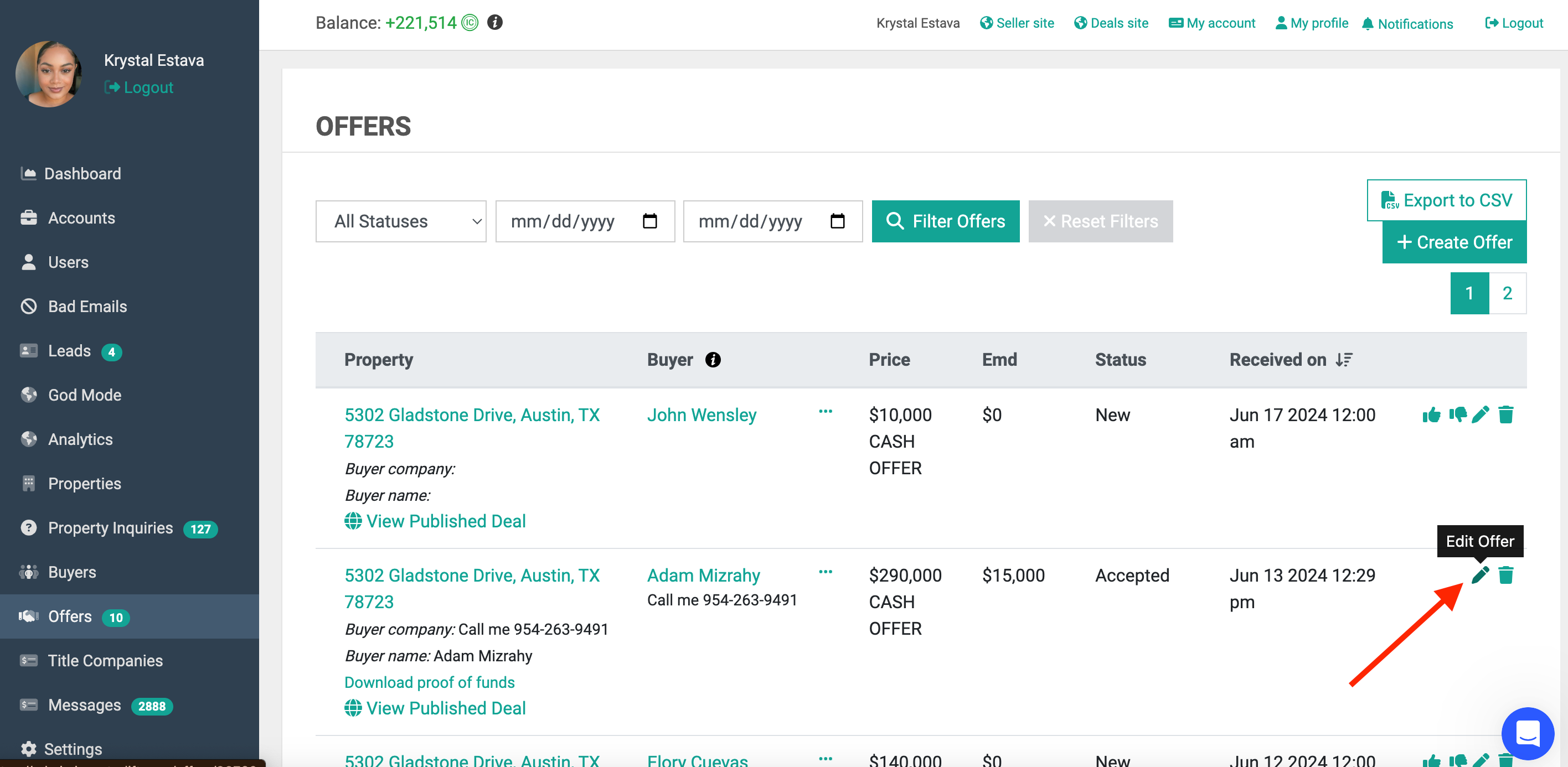
- Click on the pencil icon next to the accepted offer.
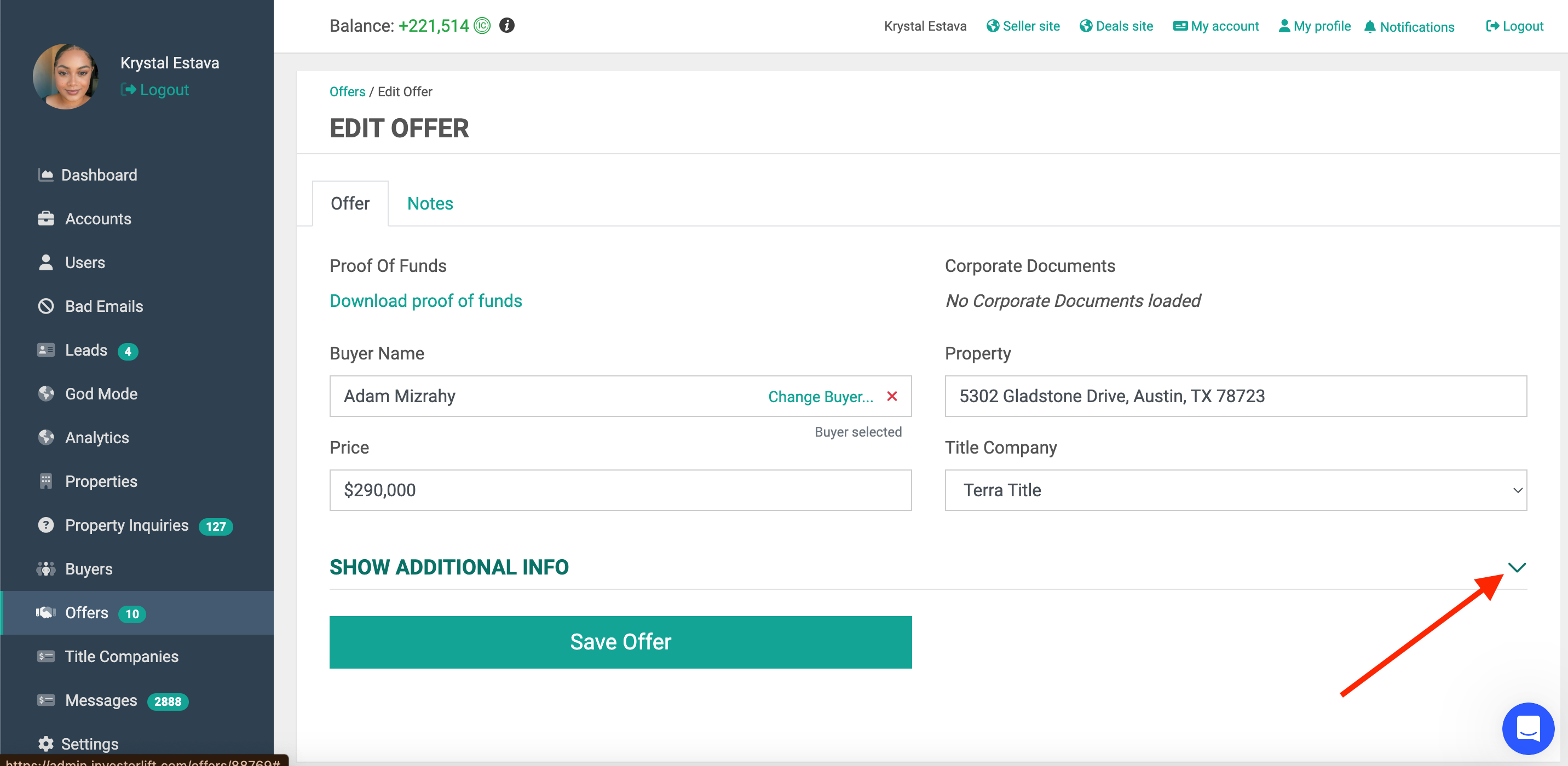
- Click the drop down arrow next to “Show additional info”
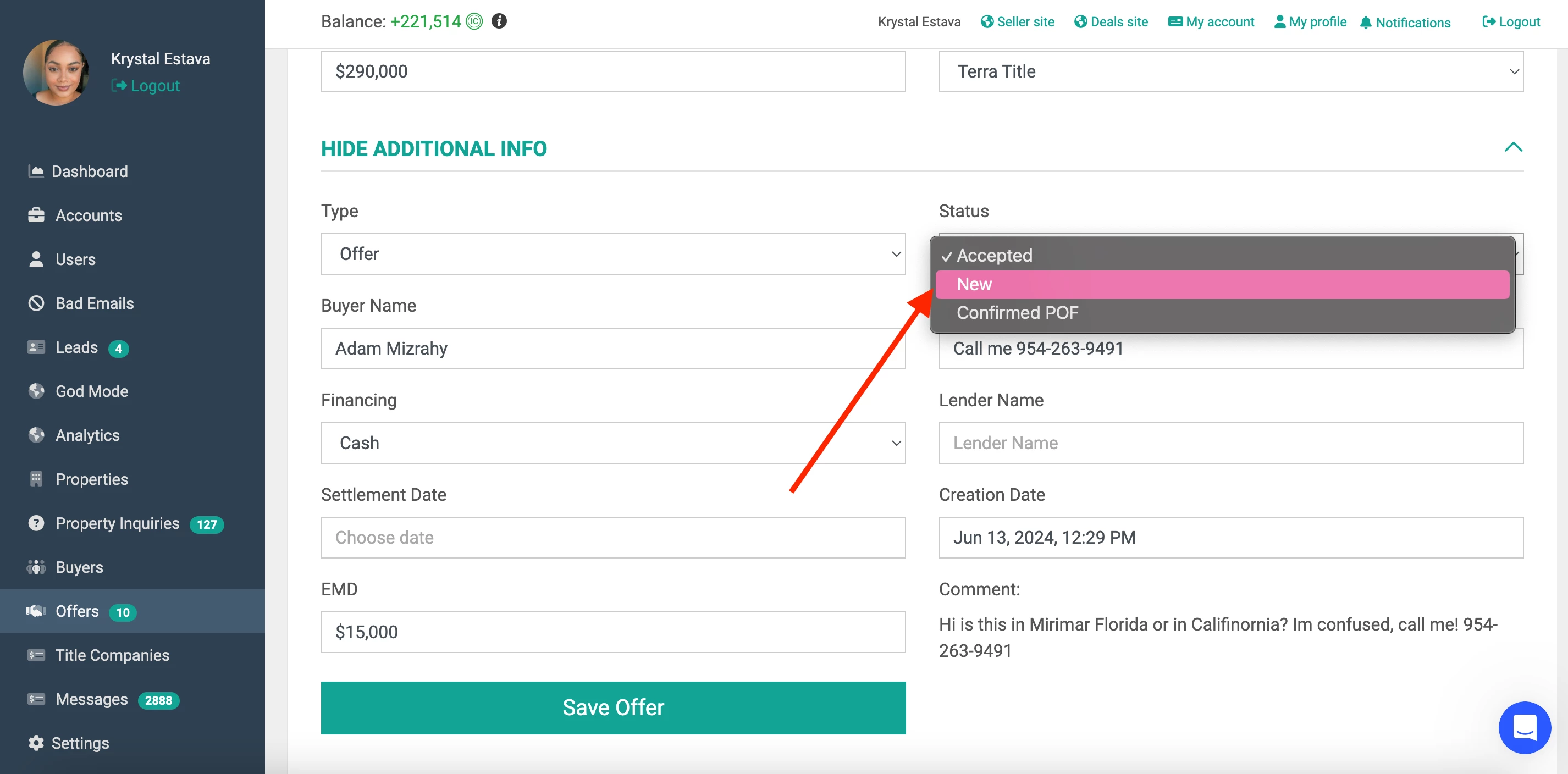
- Click the dropdown arrow next to “Status” and select “New” then “Save offer”.
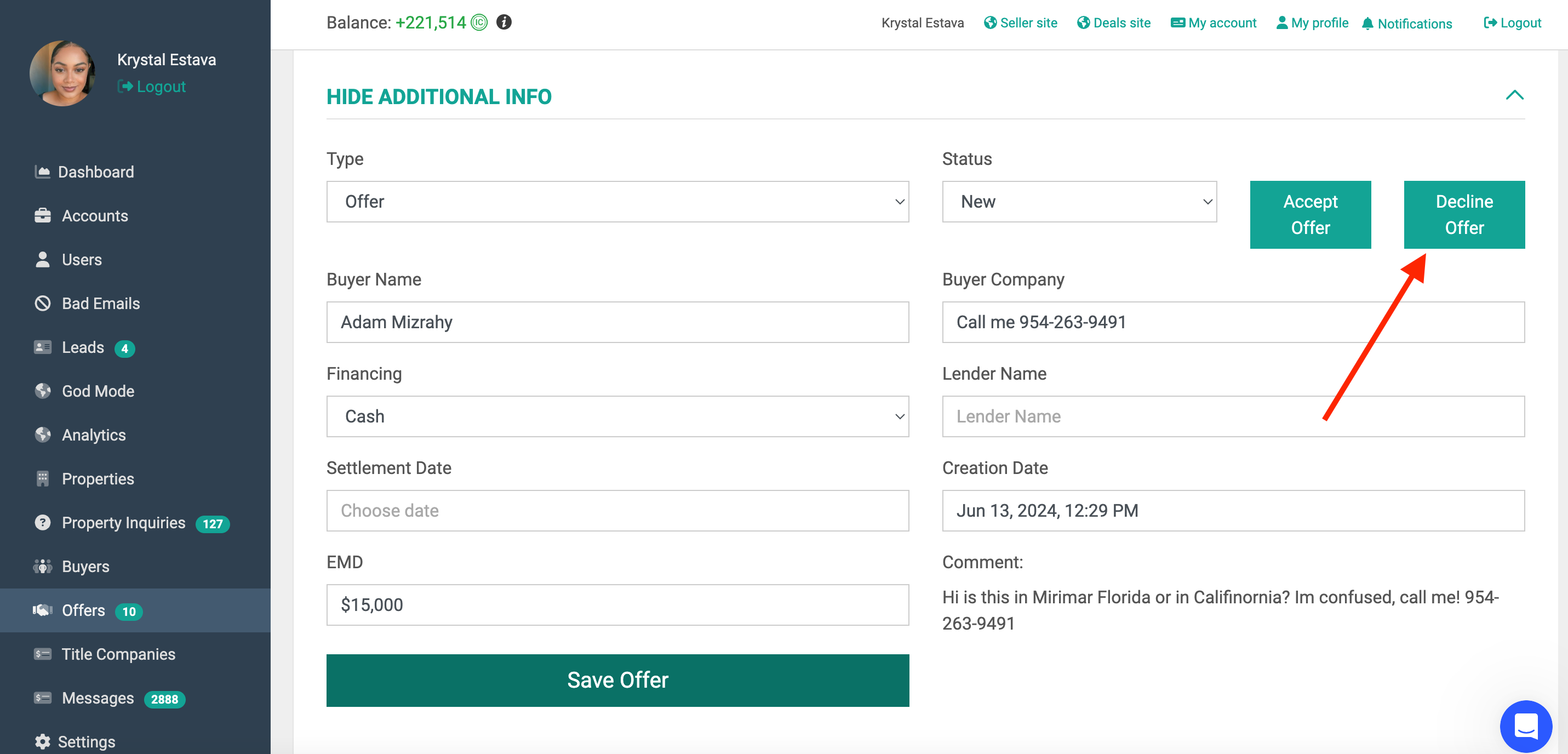
- You can then click the “Decline Offer” button and “Save Offer” button again.
- Go back to the Offers tab and you can now delete the offer completely.
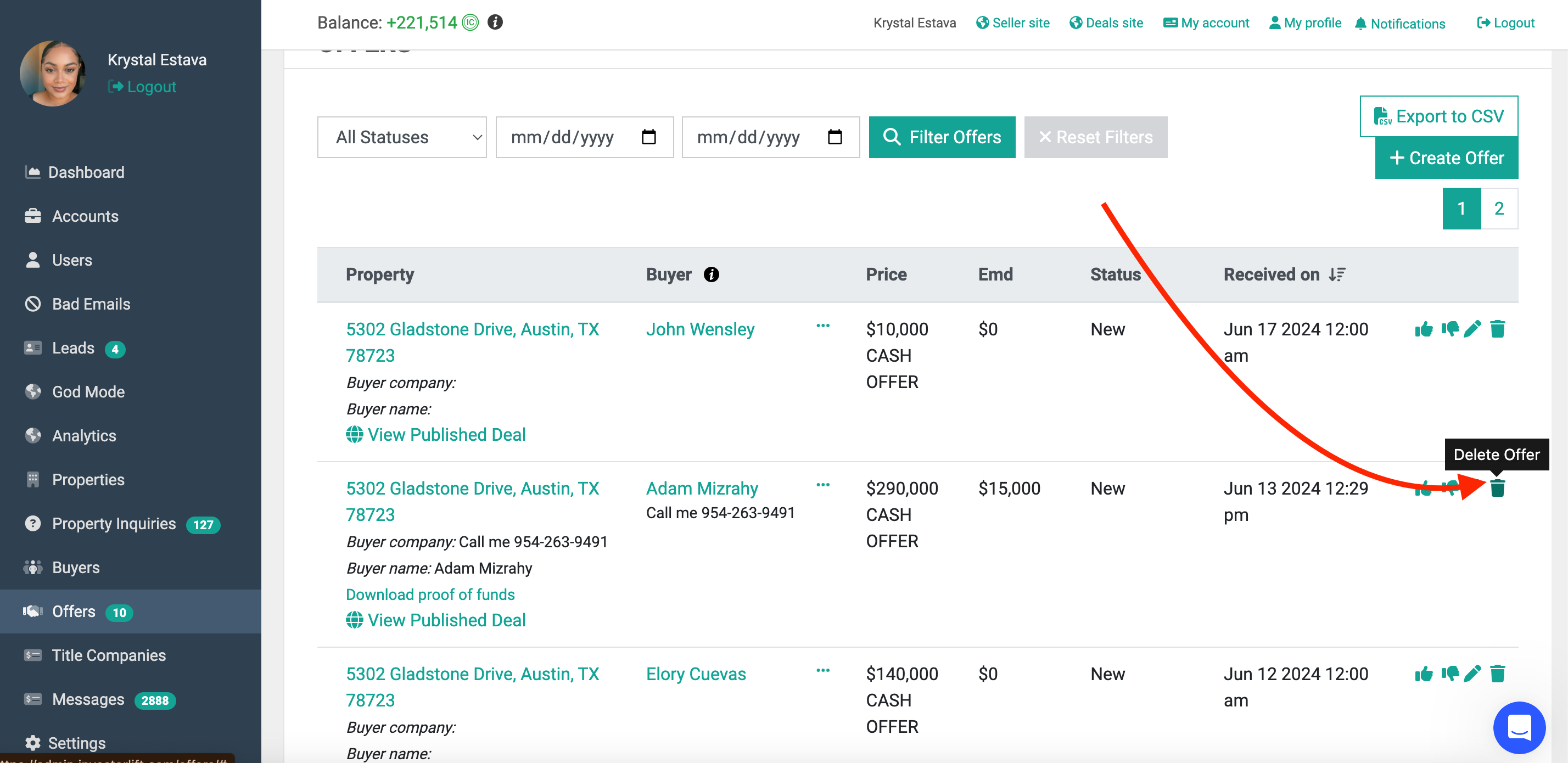
Now you have successfully deleted and accepted offer!
Contact Support
If you still have questions or encounter issues, we're here to help.
Contact Us:
-
Wholesaler Support (email): support@investorlift.com
-
Live Chat: Available in your bottom-right corner
🗣Your feedback is valuable to us! Scroll down and let us know if this content was helpful to you. Every rating helps us make our Help Center better for you.